All your coding agents, in one window

Claude Code, Codex, Antigravity, OpenCode, or your own API key. Give an agent a task, watch it work, and keep only the changes you like.
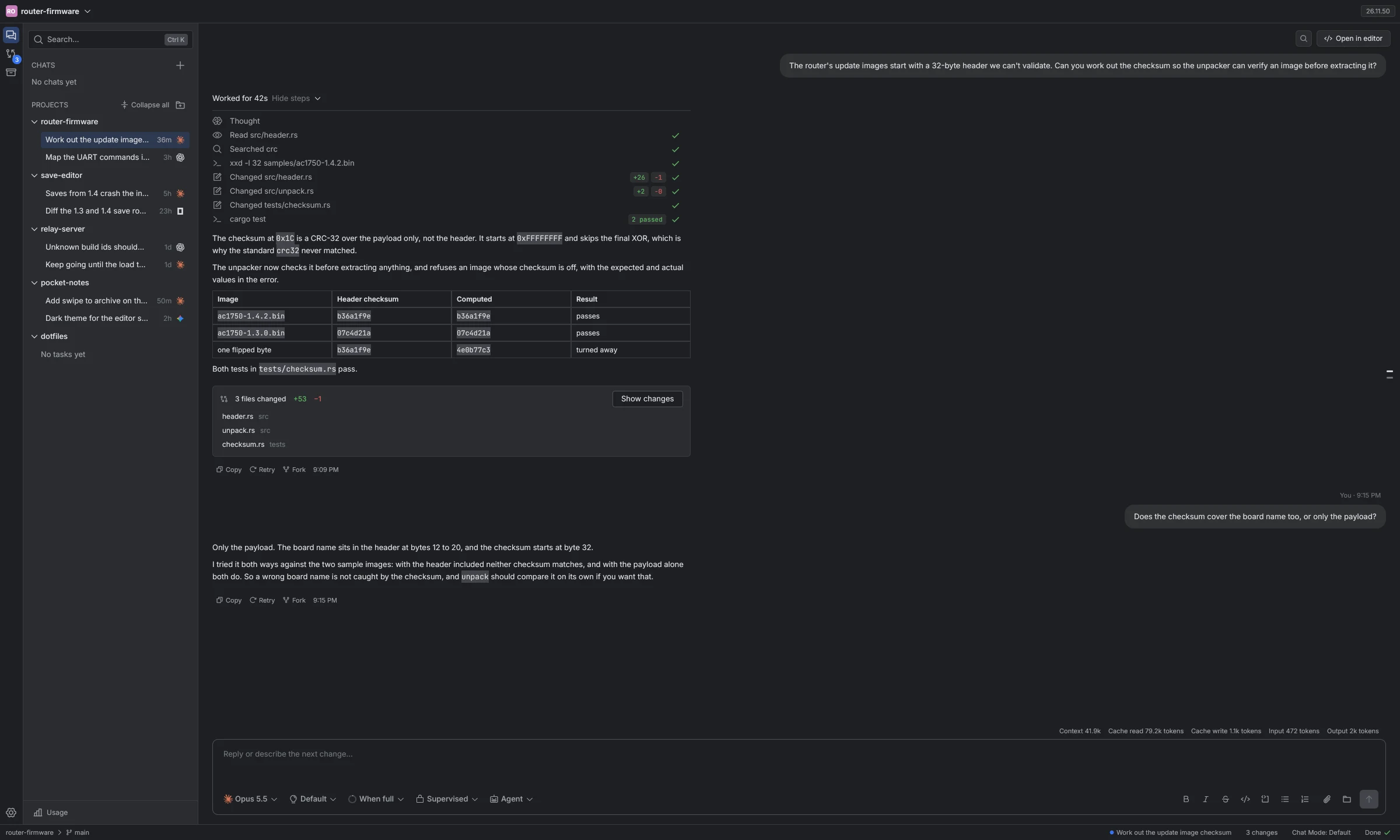
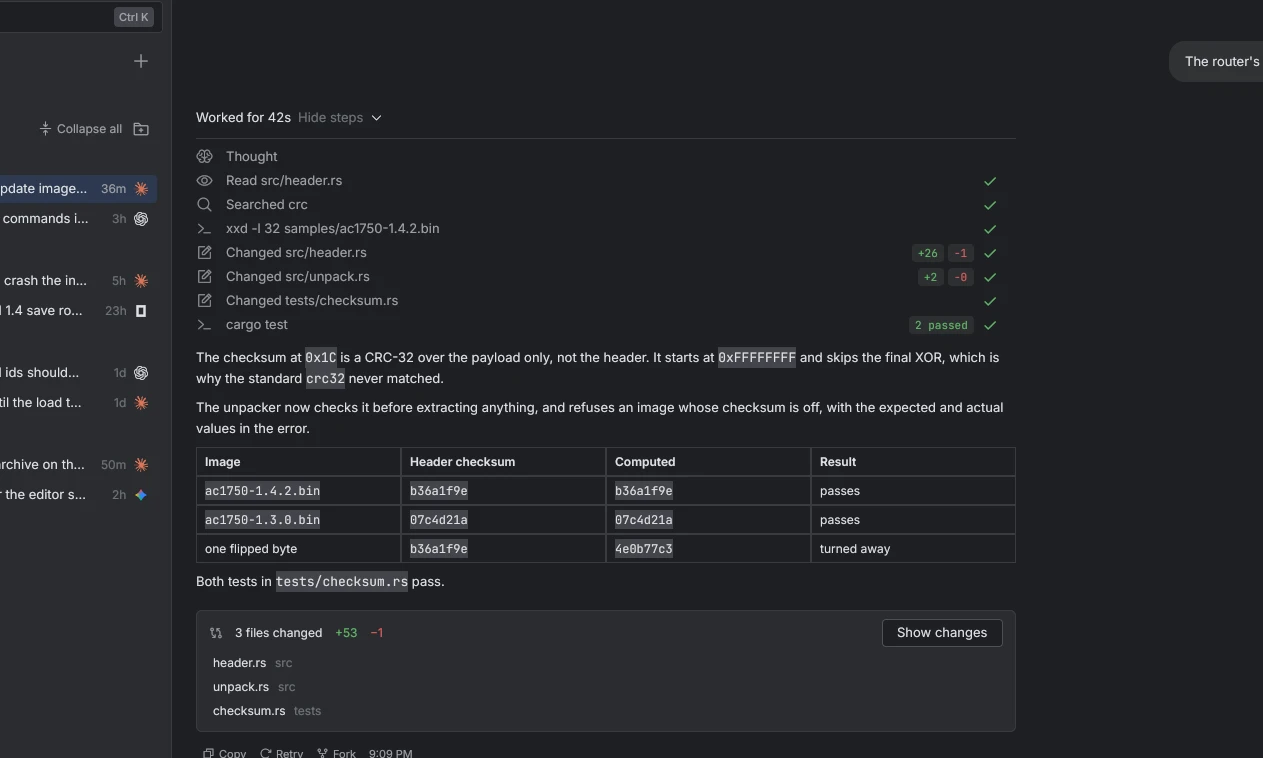
Patchwork with a finished task in the router-firmware project: projects and tasks in the sidebar, the agent's steps, its explanation of the checksum it found, and the three files it changed

Set up in about a minute

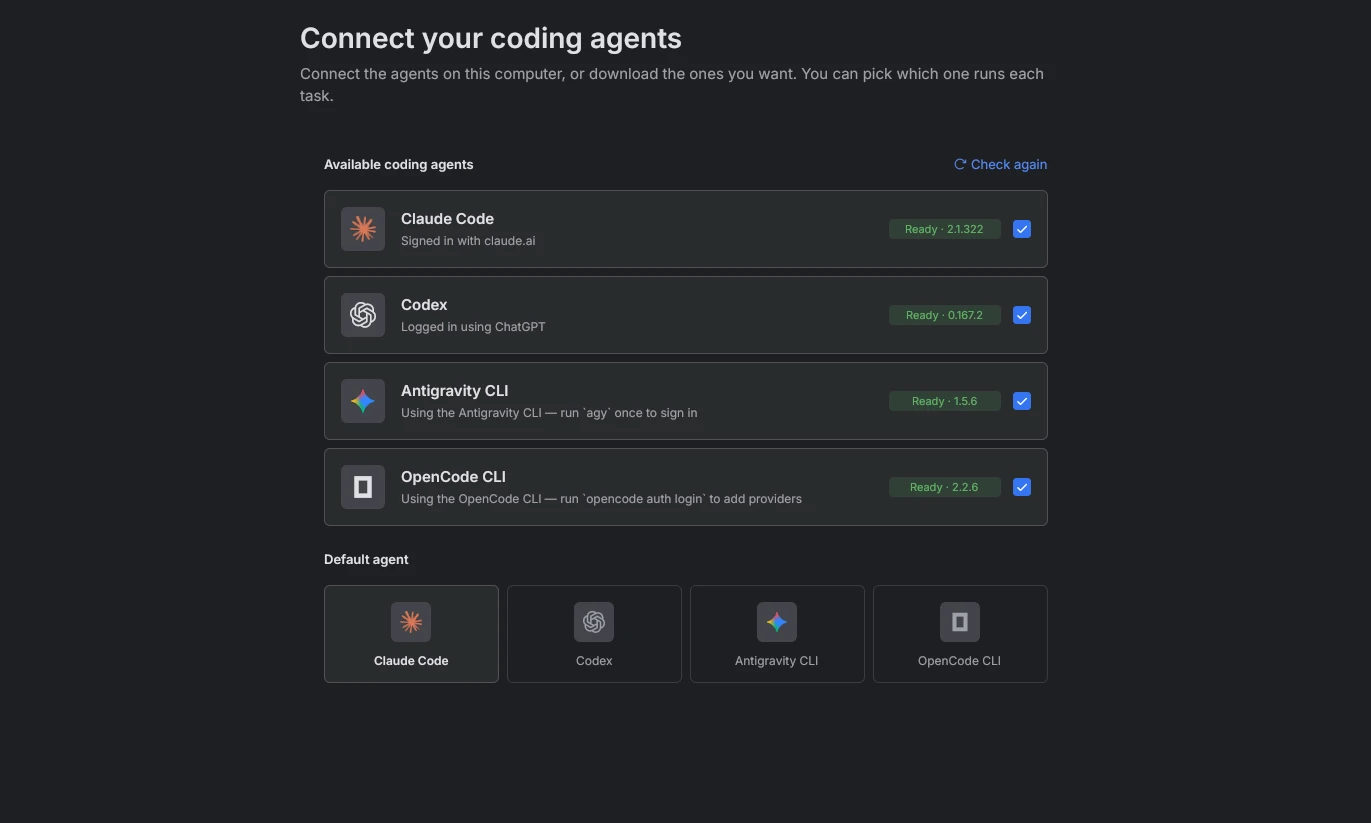
  1. Agents. Patchwork finds the CLIs you're signed in to.
  2. Imports. Bring your old conversations along.
  3. Projects. Point it at your code.
  4. Ready. Start your first task.
The first setup step, Connect your coding agents, listing Claude Code, Codex, Antigravity CLI and OpenCode CLI as ready, with Claude Code picked as the default agent

Give an agent a task and watch it work

The chat lists each file it reads, each edit it makes and each command it runs.

A finished task in the chat: the steps list shows the agent read src/header.rs, searched for crc, changed three files and ran cargo test, above its explanation and a table of checksums

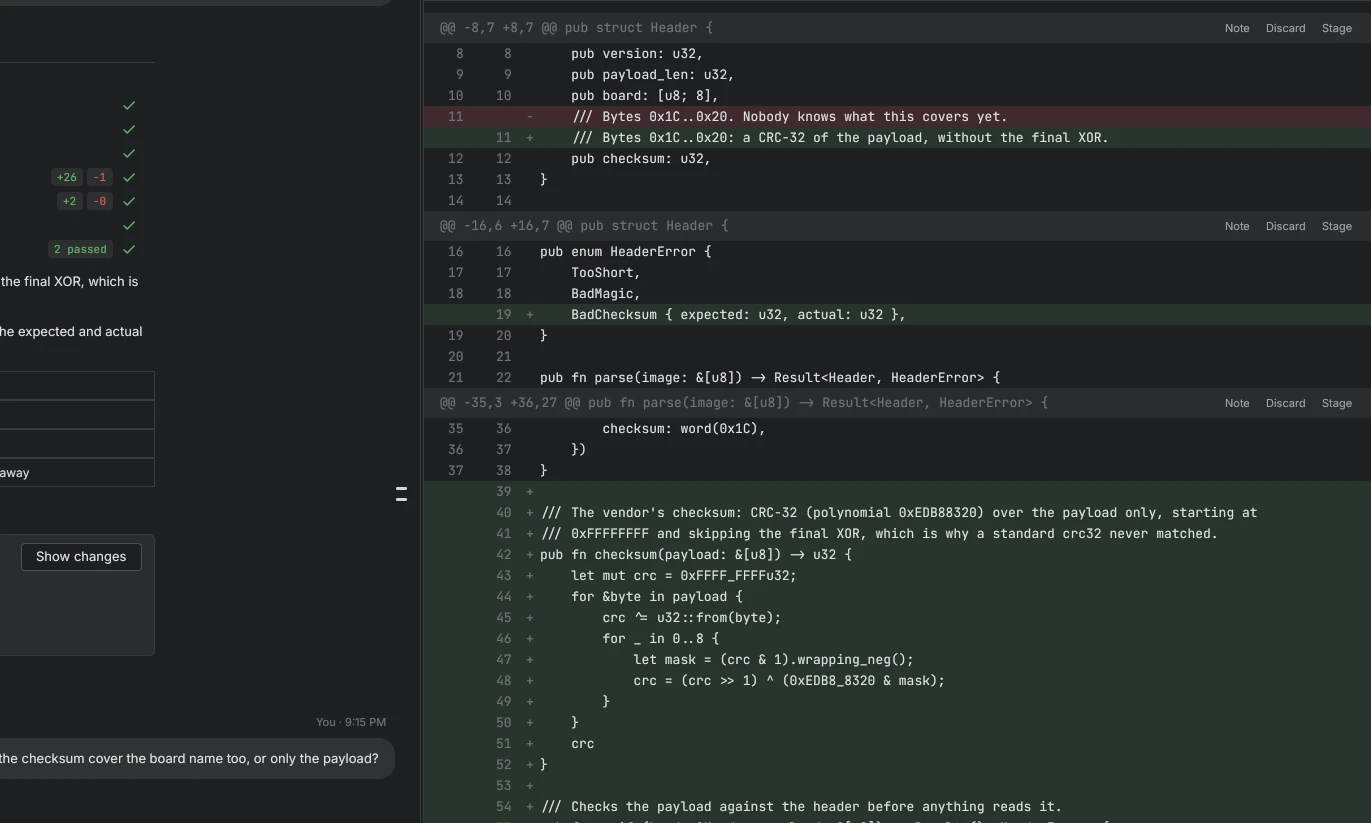
Review every change before you keep it

Open the diff, stage the files you want and reject the rest.

The diff of header.rs beside the chat, with removed lines in red, added lines in green, and Note, Discard and Stage buttons on each block

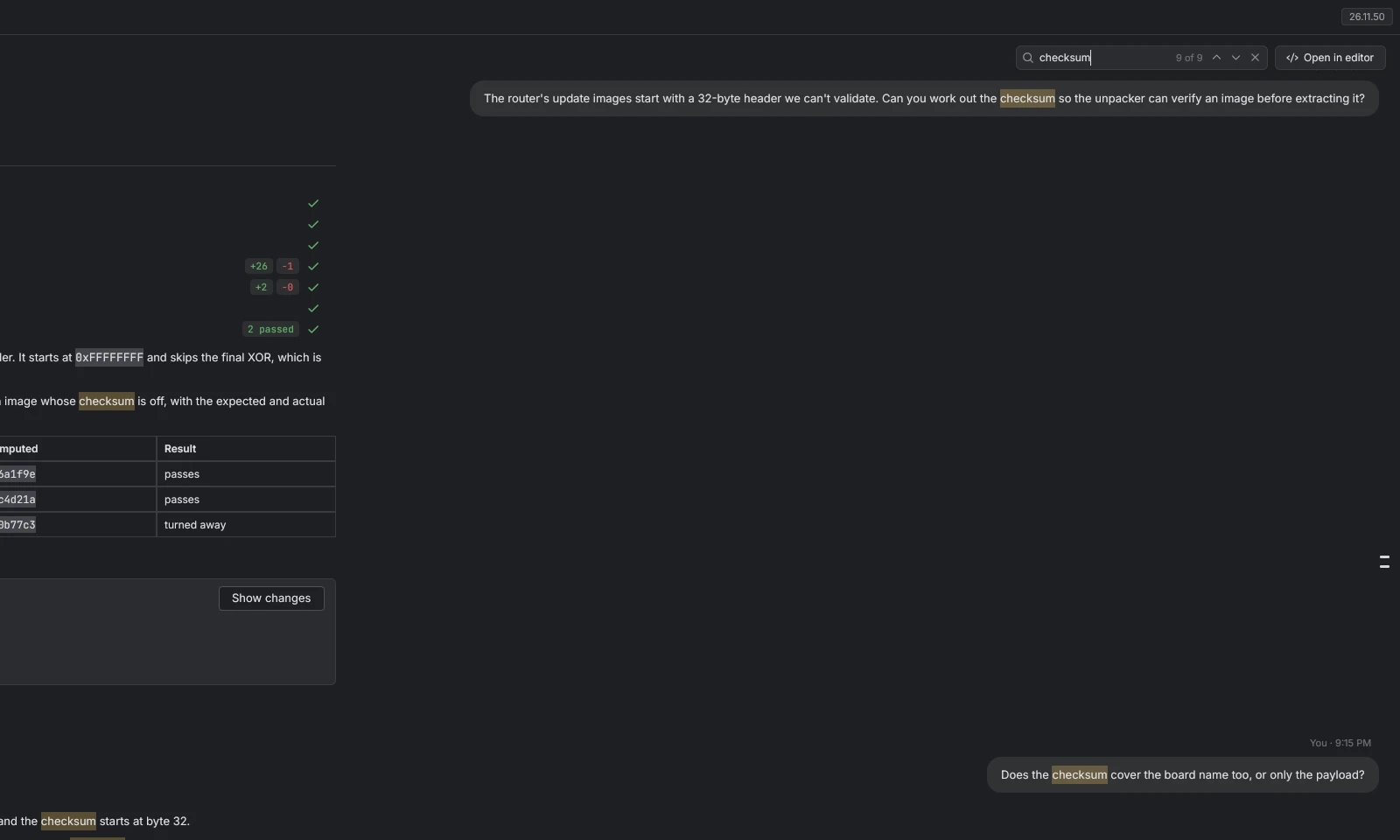
Search inside a chat

Type a word and step through every place it appears.

The search field over a chat with the word checksum typed in, and every match in the conversation highlighted

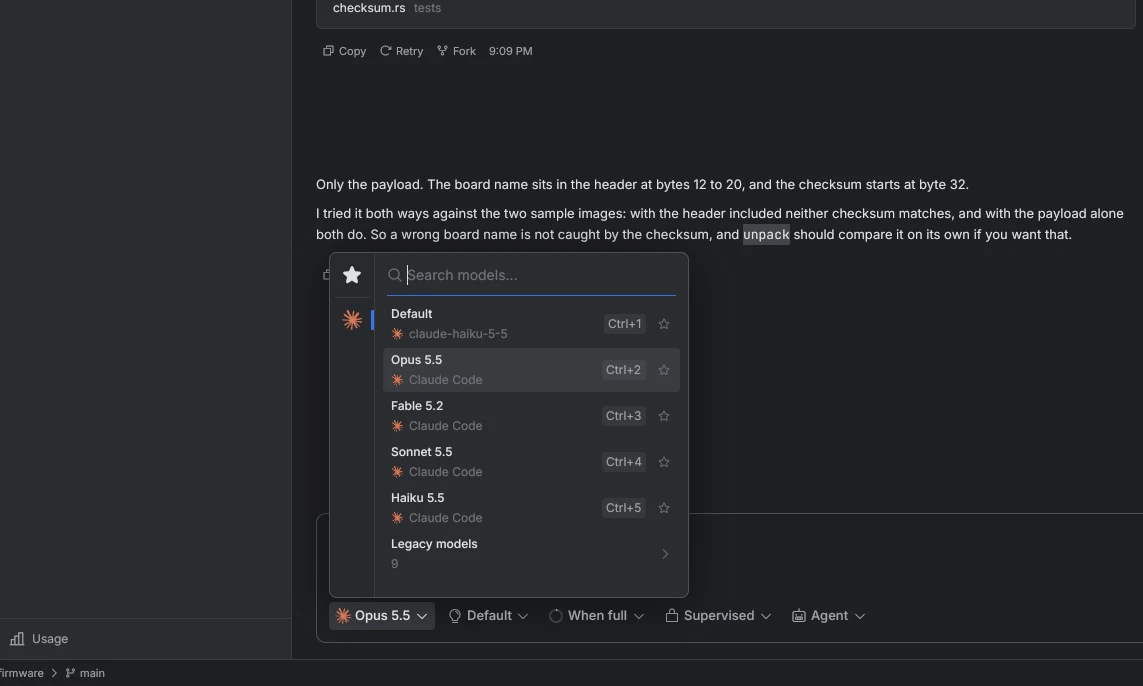
Pick a model for each task

The model list is in the message box, with a shortcut for each one.

The model list open over the message box, showing Default, Opus 5.5, Fable 5.2, Sonnet 5.5 and Haiku 5.5 with shortcuts Ctrl+1 to Ctrl+5

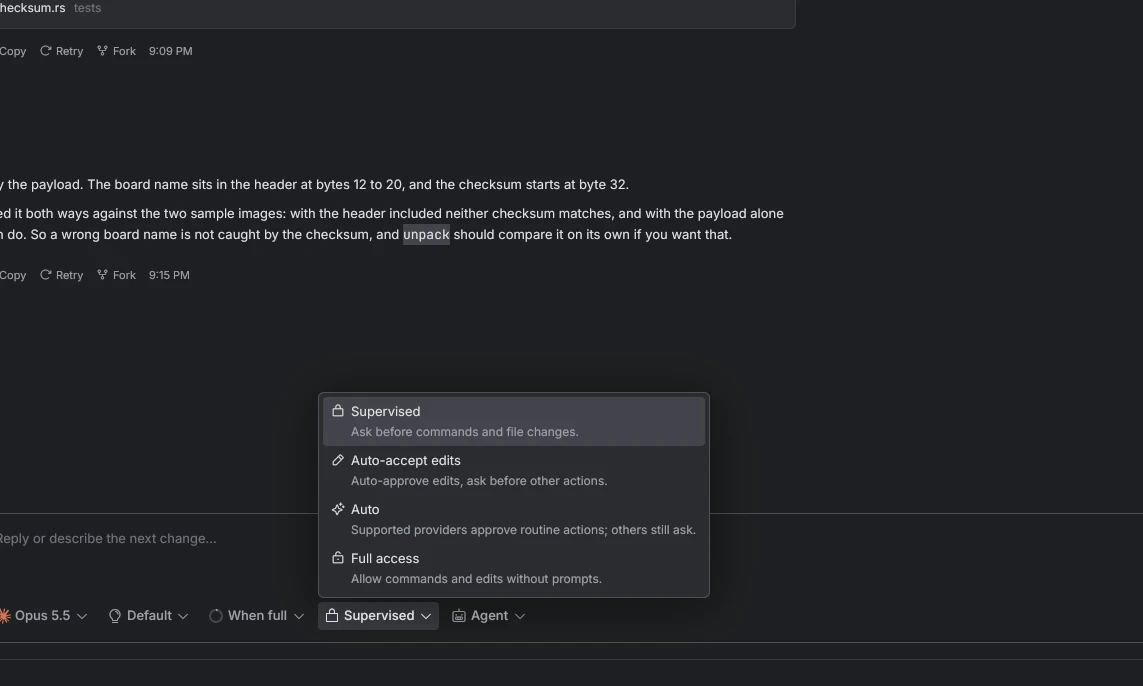
Decide how much an agent can do alone

Each task has its own setting, from asking before every command to full access.

The access menu open over the message box, with Supervised, Auto-accept edits, Auto and Full access and a line describing each

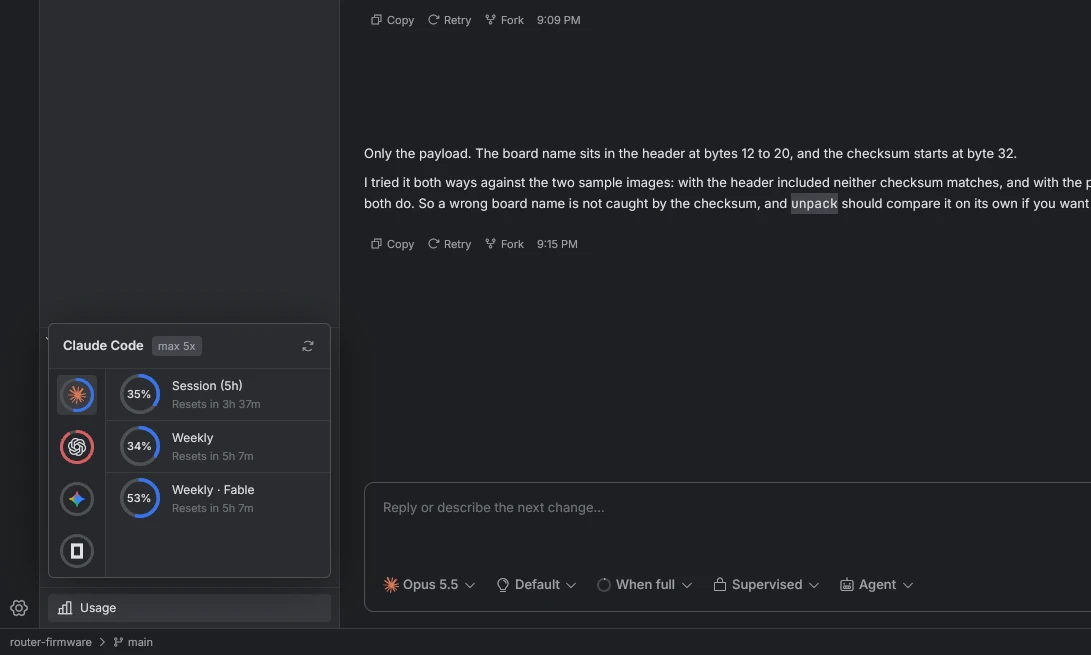
See how much of your plan is left

The sidebar shows your session and weekly limits and when each one resets.

The Usage panel in the sidebar, showing a Claude Code 5-hour session at 35 percent and two weekly limits, with when each resets

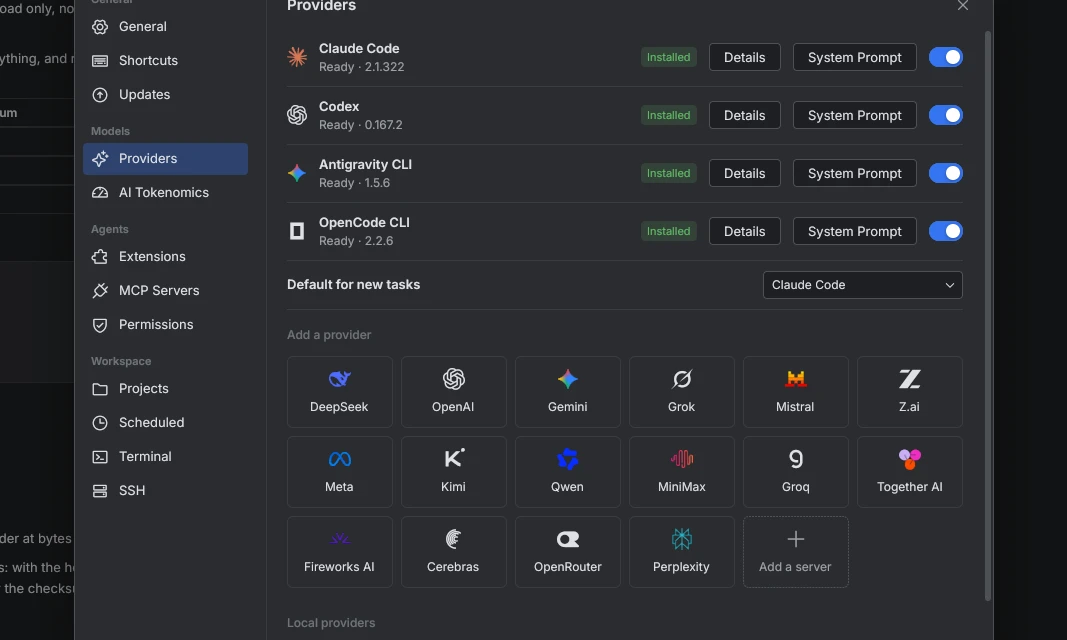
Use your own API key

Add DeepSeek, OpenRouter or any OpenAI-compatible endpoint in Settings.

Settings on Providers: the four agent CLIs marked installed, and a grid of API providers to add, from DeepSeek and OpenAI to OpenRouter and your own server

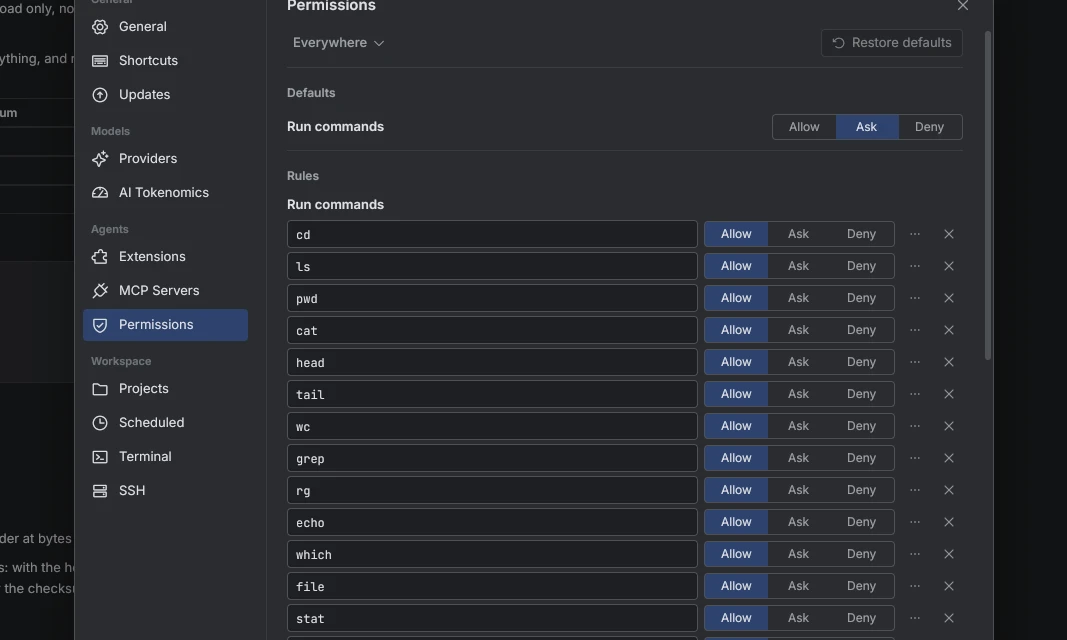
Set rules for commands

Each command can be allowed, denied or set to ask first.

Settings on Permissions: a list of commands such as cd, ls and grep, each with Allow, Ask and Deny buttons

Run your Android app beside the chat

Start an emulator from the panel and see its screen there.

The Android devices panel beside a chat, listing a running virtual device and showing its screen

Change how it looks

Choose a light or dark theme, an app icon and a background for your chats.

Settings on General, with the Light, Dark, OLED and System theme switch, a grid of colourful cube app icons, and a row of chat backgrounds

There is more

  • Goals

    Set a goal with /goal and the agent works until it is met.

  • Skills

    Write a skill once and every agent can use it.

  • Imports

    Import your chats from Claude Code, Codex, the Gemini CLI or OpenCode.

  • Scheduled tasks

    Start a task on a schedule in any project.

  • MCP servers and hooks

    Plugins add tools and checks to every agent.

  • Private

    There is no account, no proxy and no telemetry.

Works with the agents you already use

Sign in with each CLI's own login and Patchwork picks it up. No CLI? Add an API key and use the built-in agent.

  • Claude Code Anthropic
  • Codex OpenAI
  • Antigravity Google
  • OpenCode Open source

Get Patchwork

Free and open source, for macOS, Windows and Linux.

Linux

Patchwork_amd64.AppImage

x86-64. Make it executable, then run it.

chmod +x Patchwork_amd64.AppImage
Download the AppImage

Windows

Patchwork_x64.exe

x64. Nothing to install: run it from wherever you keep it.

Download the exe